
Connect the mailboxes you already use over IMAP and SMTP: Gmail (with Google sign-in), Microsoft or Exchange, Yahoo or your hosting provider's mail server. Nothing in the mailbox is moved or deleted. Start has 1 mailbox, Business 2, Pro 5 and Enterprise no limit, each with its own department and its own “received” and “closed” emails.
Channels
Messenger, Instagram, WhatsApp and email from one screen
Messages from Messenger, Instagram, WhatsApp, your mailbox and your website chat arrive as tickets in one queue. Customers write where it suits them, and your team answers everything from one screen.
Where enquiries come from
The channels that become tickets
Facebook Messenger
Messages to your Facebook page become tickets, and you answer them from ZynTrail. Included in every plan.
Direct messages arrive through the same connection as Messenger. Included in every plan.
WhatsApp Business
Connected through the official Cloud API, with your business number. Available from the Pro plan up.
Website chat
A chat window on your website, added with one snippet of code. Each conversation becomes a ticket. The website chat is in every plan.
Phone
Every inbound call opens its own ticket. See how the cloud phone system works.
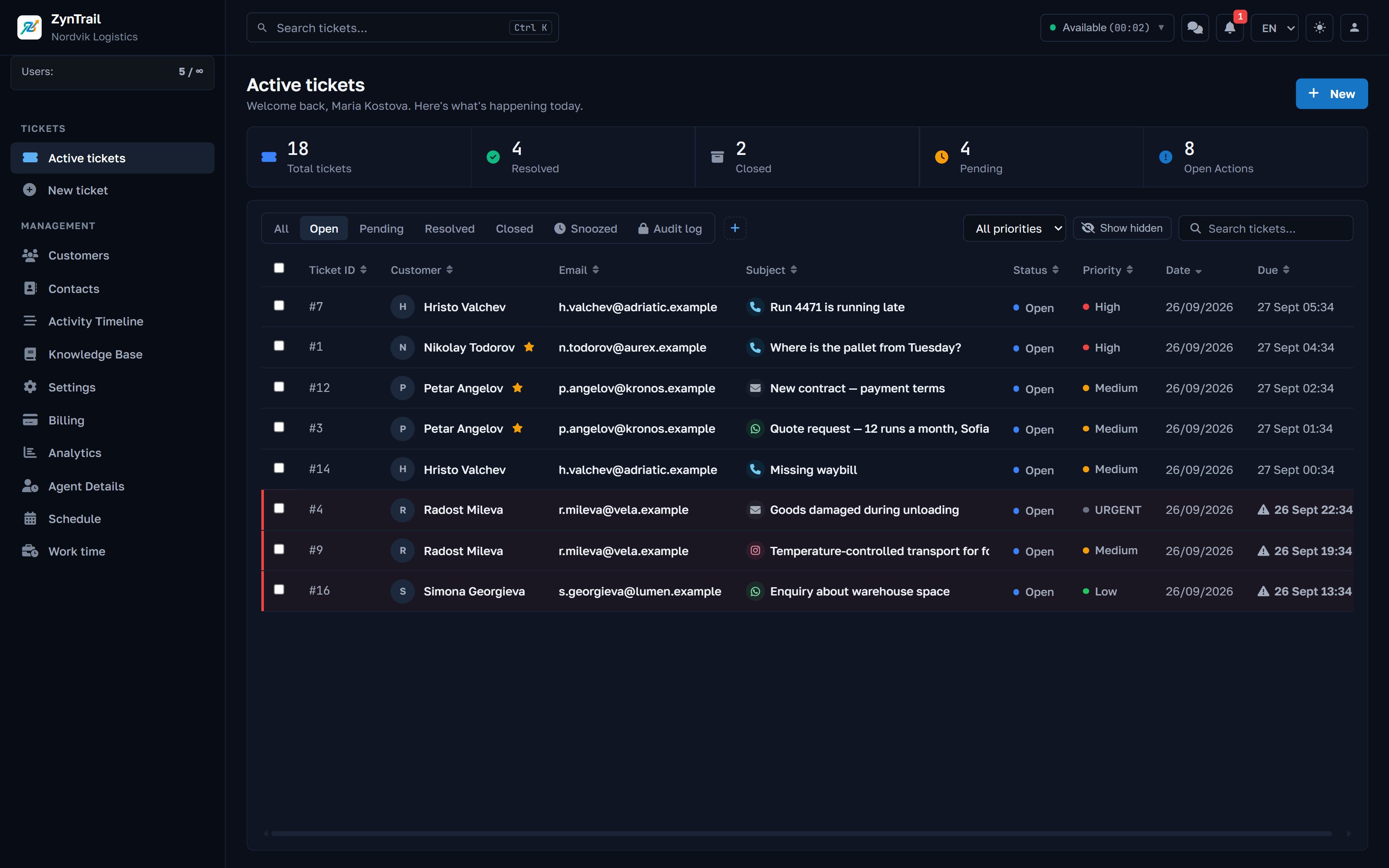
Four channels in one queue. The icon before each subject shows the channel: phone, email, WhatsApp or Instagram. The reply goes back the same way.
How it works
How a message becomes a ticket
- 01
It arrives and is checked for duplicates
Providers sometimes deliver the same message twice. ZynTrail keeps one copy, so the thread has no duplicates.
- 02
Files are saved
Photos, documents and voice messages are downloaded and stored with the message, so they stay available after the original link expires.
- 03
The sender is recognised
On WhatsApp the number is matched against your contacts, and a message from a known customer is filed under that customer.
- 04
It joins the open ticket or opens a new one
If the same person writes again, the message continues their open ticket. If they have none open, a new ticket is created and the team is notified.
- 05
The reply goes back the same way
Answer a WhatsApp ticket and the reply goes out on WhatsApp. Customers get the answer on the channel they wrote on.
Connecting other systems
Online shop, forms and Zapier
Your Shopify or WooCommerce shop, a web form or a Zapier flow can open tickets without a developer, and ZynTrail can send ticket updates back to your systems. Included in every plan.
Incoming webhook
Your company gets one secret address. A post to it from Shopify, WooCommerce, Zapier, Make, n8n or your own web form becomes a ticket.
Outgoing events
Up to 10 of your addresses are told when a ticket is created, assigned, resolved or closed, when a tag is added and when a customer rates it.
API
Your system sends an email address, subject and message (plus a name and priority if it has them) and gets back the ticket and the customer's tracking link. We issue the API key.
- Each post needs an email address or a phone number. Order lines from the shop appear in the ticket.
- Shopify and WooCommerce signatures can be verified.
- Duplicate posts are skipped, and loops between two systems are blocked.
- Change the address and the old one stops working at once.
- Outgoing events are signed with HMAC-SHA256 and retried for about 8.5 hours. There is a test button and a delivery log, and an address that keeps failing is switched off after a day.
The customer portal
The customer follows their ticket without an account
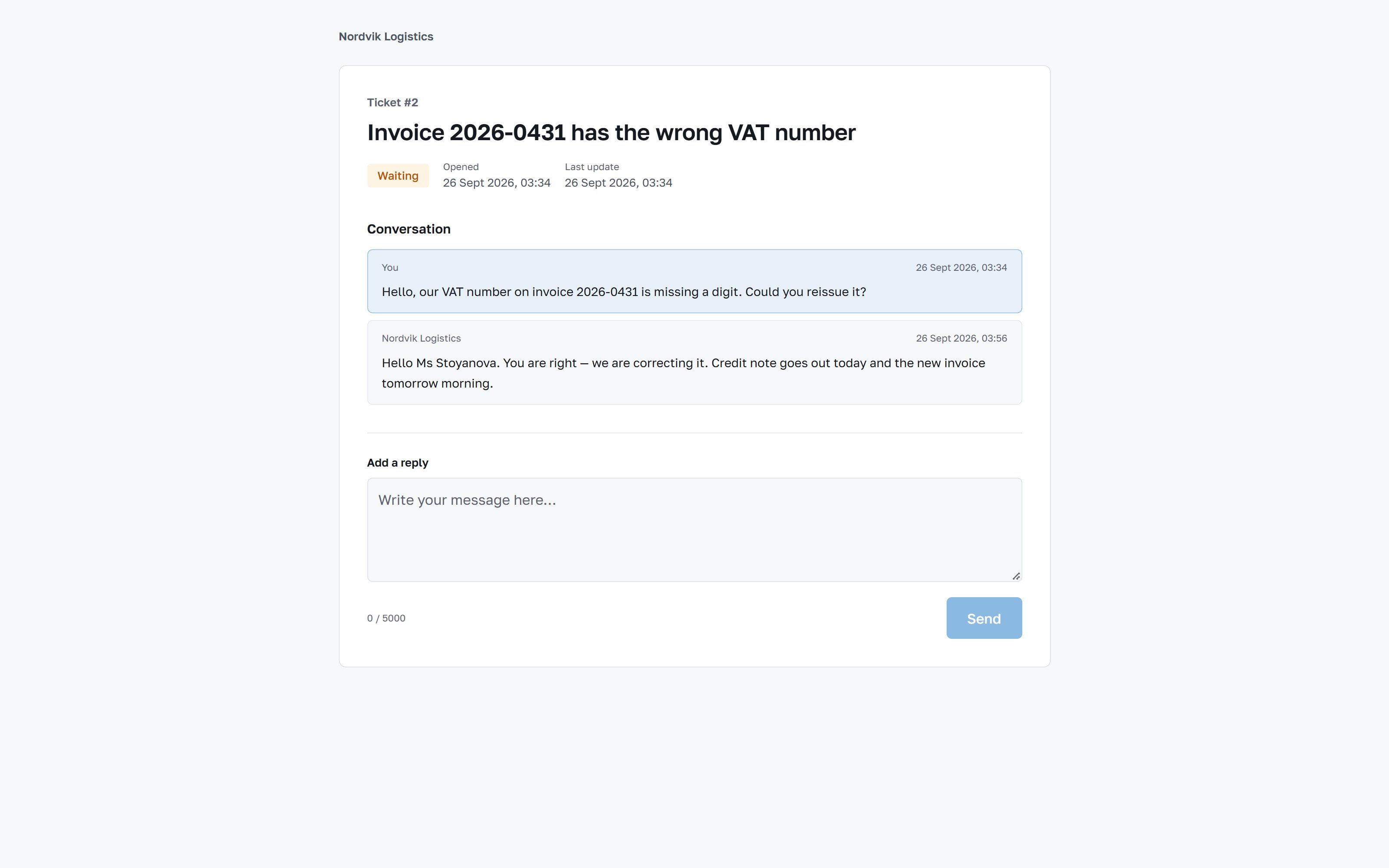
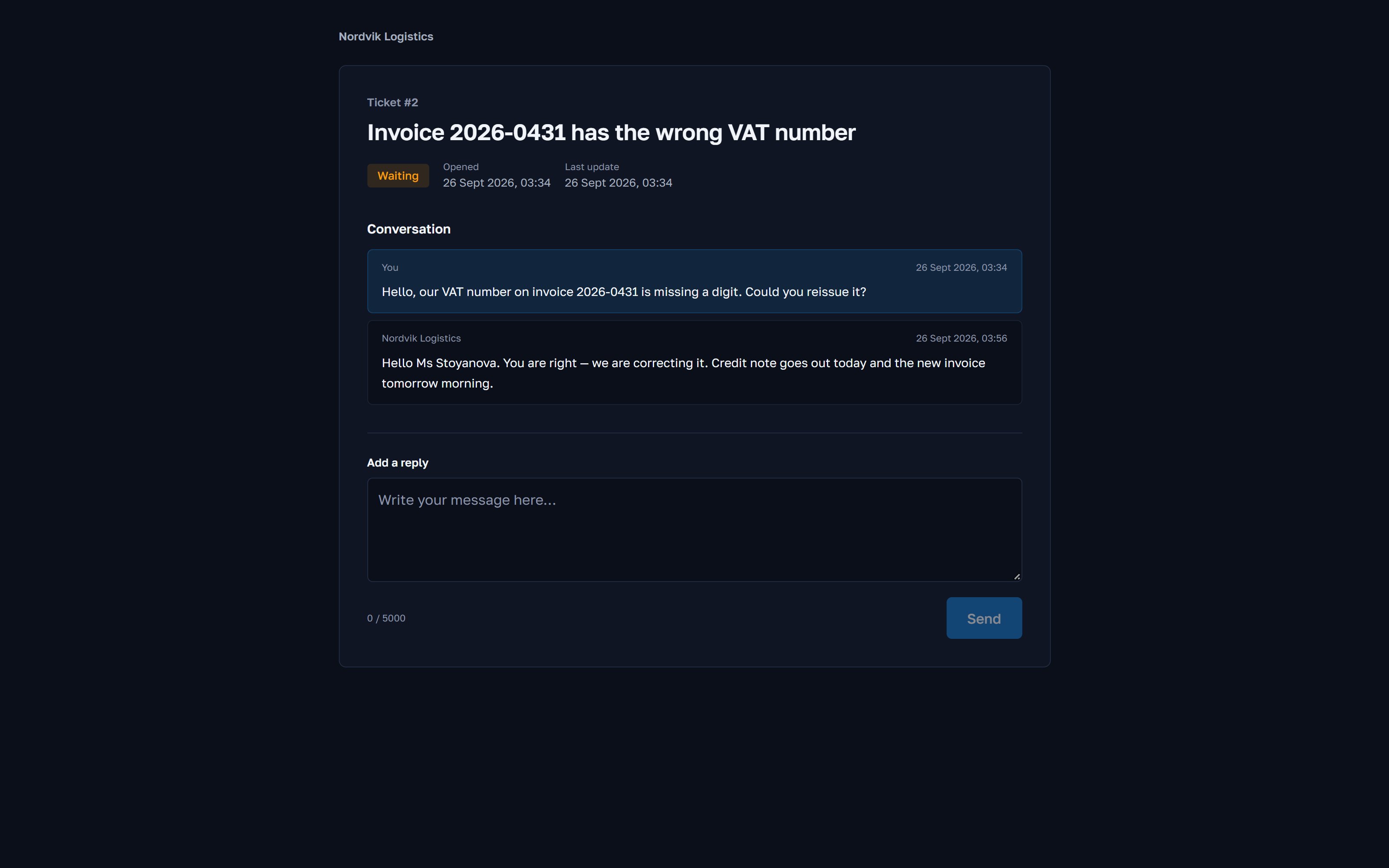
Every email reply, and the first reply in a chat, includes a personal link. It opens the customer's ticket with its status, the correspondence and a reply box, with no registration, password or app to install.
The link is signed, opens only that ticket and is valid for 30 days. Replies written there reach the same agent.
- Status and the date of the last change, as the team sees them
- The full correspondence on the ticket, without internal notes
- A reply from the portal is added to the same ticket
- The page is in the customer's language: English, Bulgarian or Russian
The customer satisfaction survey. When an email ticket is closed, the customer gets a separate email with a short survey: a score from 1 to 5, optional named answers and room for a comment. You write the wording for each language, or switch the survey off. The score appears on the ticket and as an average in Analytics (Business and up), and can be sent to your own systems by webhook.
Notifications
Ticket channels and notification channels
A ticket channel is how a customer reaches you: email, Messenger, Instagram, WhatsApp, the chat on your website or the phone. A message arrives and a ticket appears.
A notification channel is how ZynTrail reaches your team, through Telegram or WhatsApp, when a ticket opens or a deadline is close. Telegram is used only for notifications: a customer who writes to your Telegram bot does not open a ticket.
Technical details
Channel details
- Mailbox checked every
- 15 s
- Messages threaded by
- senderone open ticket per person
- Repeat deliveries
- skipped
- Attachments
- with the message
- Messenger and Instagram
- every plan
- WhatsApp Business
- Pro and up
- Telegram
- notifications onlyto your team, not from customers
- Customer portal
- personal linkno account and no password
- Portal link valid for
- 30 days
- Website chat
- every plan
- Mailboxes
- 1 · 2 · 5 · unlimitedStart · Business · Pro · Enterprise
- Webhook for your shop
- every plan
FAQ
Questions about channels
Will anything change in our mailbox if we connect it?
No. ZynTrail reads over IMAP and sends over SMTP, and it does not move, flag or delete any email. If you disconnect it, your mailbox is exactly as it was.
A customer writes in Messenger about yesterday's call. Does anyone notice?
Whoever opens the customer sees both, in order, in one timeline. The Messenger message opens a ticket of its own or continues one, and if it turns out to be the same enquiry, the two tickets can be merged.
What is needed to switch on WhatsApp?
A business number, a WhatsApp Business account and access granted by Meta. We go through the steps with you during setup. It is the only channel that needs paperwork on the provider's side, and it is available from the Pro plan up.
How many mailboxes can we connect?
It depends on the plan: 1 on Start, 2 on Business, 5 on Pro and no limit on Enterprise. Each mailbox can feed its own department. A mailbox over your plan's limit is paused, not deleted. During the trial you have 1.
Can we connect our online shop?
Yes, on every plan, through the incoming webhook. Shopify, WooCommerce, Zapier, Make, n8n or any form that can post to an address will do, and the ticket lists the order lines.
See it against your own case
Tell us how many people answer customers and where your enquiries come from, and we will show you ZynTrail set up for a team like yours.
Every plan starts with a 30-day trial of the Pro features, including telephony with your own operator.