
Swapping a shift
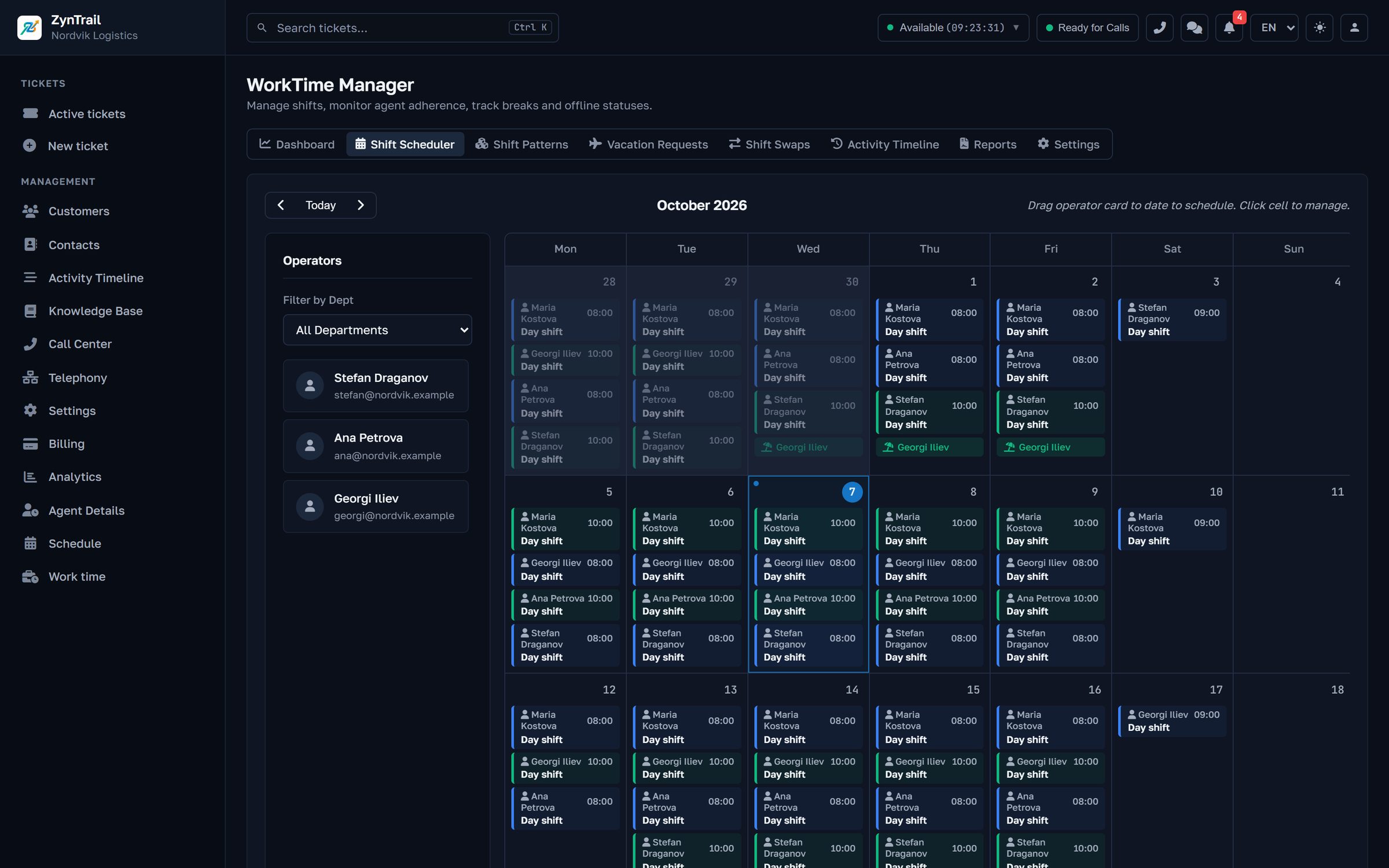
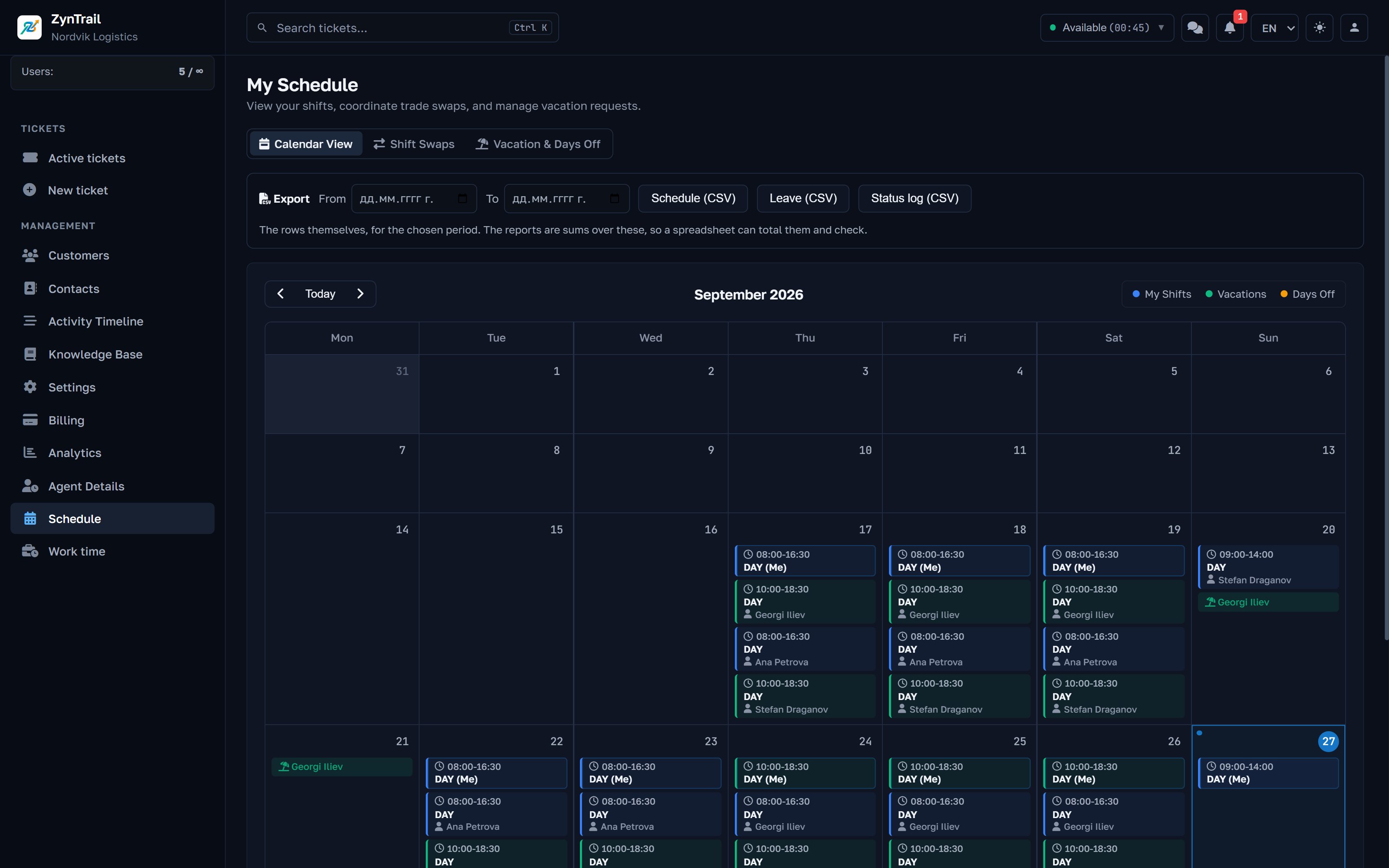
Offer your shift to a named colleague, in exchange for one of theirs if you like, or to anyone. The colleague accepts, then an admin or HR approves, and everyone is told at each step. A swap that clashes with leave is refused.
Work time
For teams that answer customers in shifts. The shift schedule, leave requests and attendance sit behind the same sign-in as the tickets, instead of in a spreadsheet nobody updates. HR runs all of it without seeing a single customer. Shift scheduling comes with the Pro and Enterprise plans.
Included in the Pro and Enterprise plans.
Planning
Swaps and time off
Requests go through the system, so nobody has to remember who agreed what in the corridor.
Offer your shift to a named colleague, in exchange for one of theirs if you like, or to anyone. The colleague accepts, then an admin or HR approves, and everyone is told at each step. A swap that clashes with leave is refused.
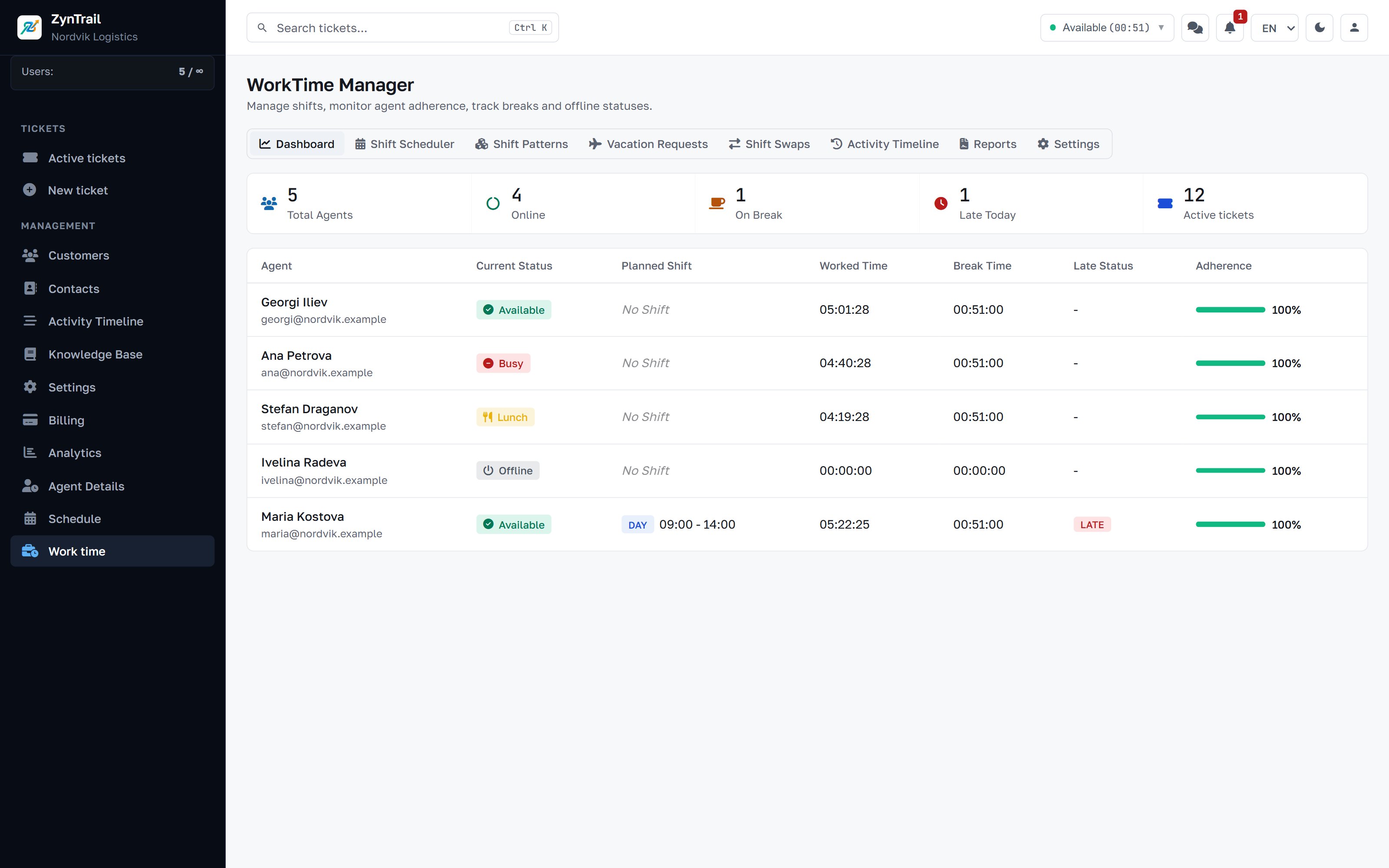
Counted in working days, skipping holidays, against a yearly allowance of 20 days unless you set another.
Requested for the next month, against a monthly limit per department (5 unless you set another).
Can be entered for dates that have already passed, because nobody files a sick note in advance.
Everyone sees their allocated, used and remaining days.
An admin, HR, or a team lead whose department role allows it, and then only for their own departments. The person who asked is told the answer.
The calendar
Follow a country's calendar, or let ZynTrail suggest the year's public holidays from two sources and tick the ones to keep. Add your own company days, or mark a national holiday as a working day if you stay open.
If you use SLA policies, holidays also stop the SLA clock, so the days you are closed do not count against your deadlines.
Today
Where it meets the tickets
Automatic assignment, by round robin or to whoever is least busy, gives tickets only to people who are on shift, not on leave and not on a break. A ticket nobody has taken is offered again every minute.
Notices meant for someone on leave go to their supervisors, so an escalation does not sit in an empty inbox for a fortnight.
Reports
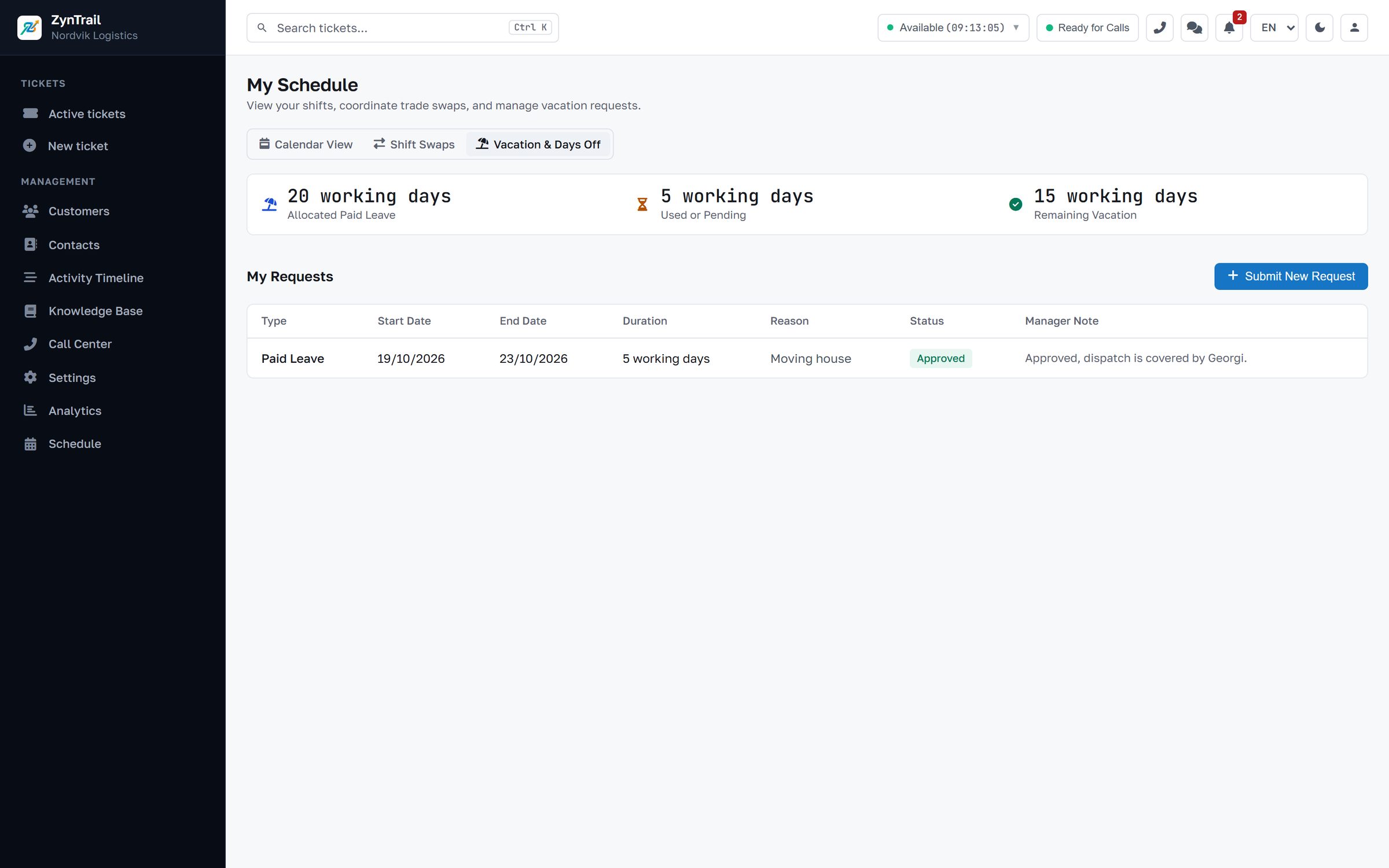
For each person over the period you pick, with a breakdown by day. The report goes out as an Excel file.
Access
Before you write to us
No. HR is a role in ZynTrail: it plans shifts, approves leave and pulls reports, without seeing customers.
An admin, HR, or a team lead for their own departments, if their department role allows it.
Yes. A shift can run past midnight.
Arriving more than 15 minutes after the start of the shift counts as late. It shows on the live board and in the report.
Pro (€149 a month) and Enterprise (price on request). The 30-day trial includes it.
Automatic assignment gives tickets only to people who are on shift now, not on leave and not on a break.
Tell us how many people answer customers and which channels your enquiries come in on. We will walk you through the screens your team would actually use, with your own case in place of a demo script.
Every plan starts with a 30-day trial of the Pro features, which is everything except telephony.